Webhooks in Sequence Builder
Sequence Builder equips game builders with an indexer that listens to events across the many blockchains that we offer by providing an https callback
What data can I listen to for my game?
- Mints from a contract
- TokenID transfers
- Transactions by an account address
- Event topics emitted by a contract
- Event topic hashes emitted by a contract
Creating Webhooks
The following steps guide you through creating your webhook
- Select Project and go to Webhooks Section
- Select Network and Add New Webhook
- Complete Webhook Details
Select Project and go to Webhooks Section
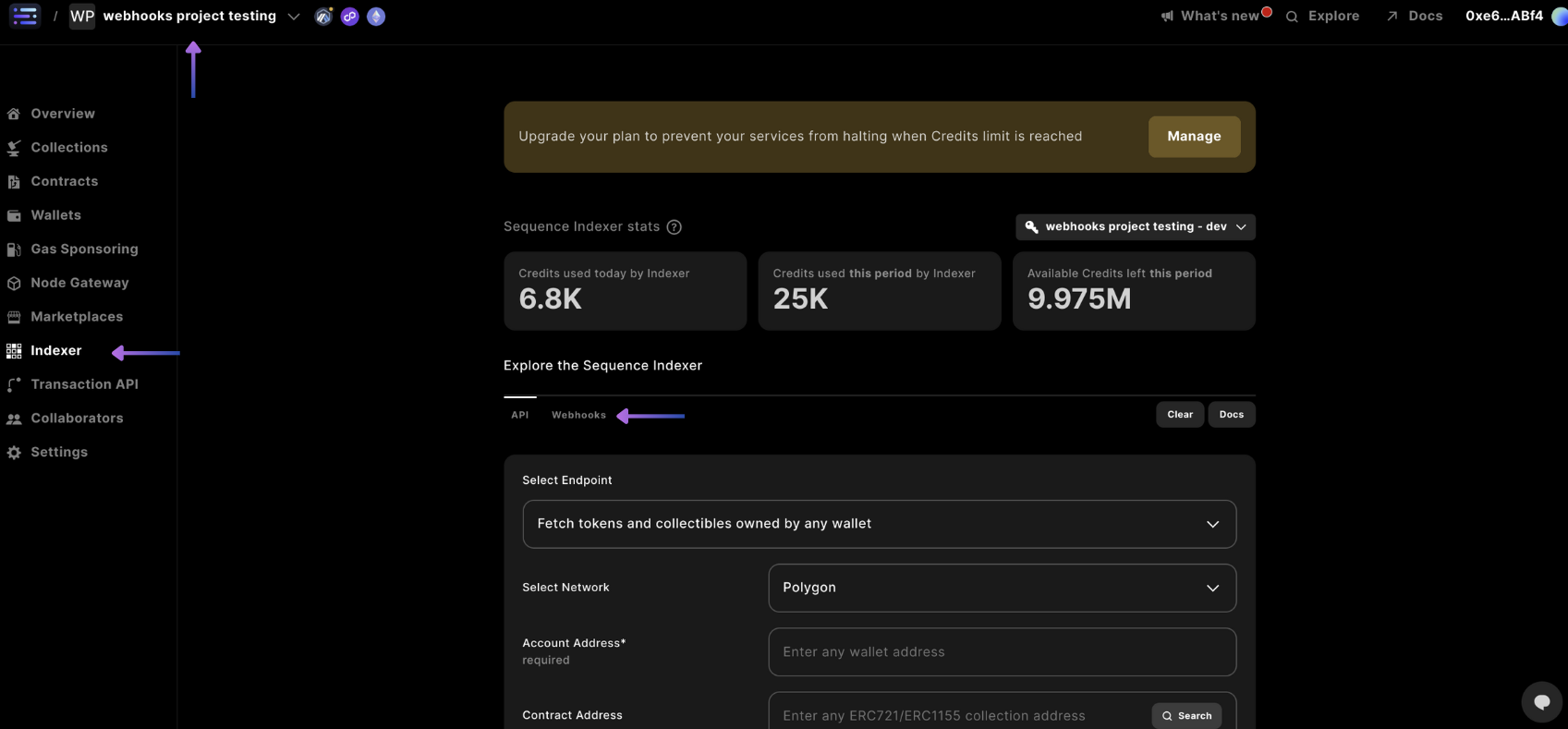
Select your project in the top left hand corner, select the Indexer section in the sidebar, and select the Webhooks tab.
Select Network and Add New Webhook
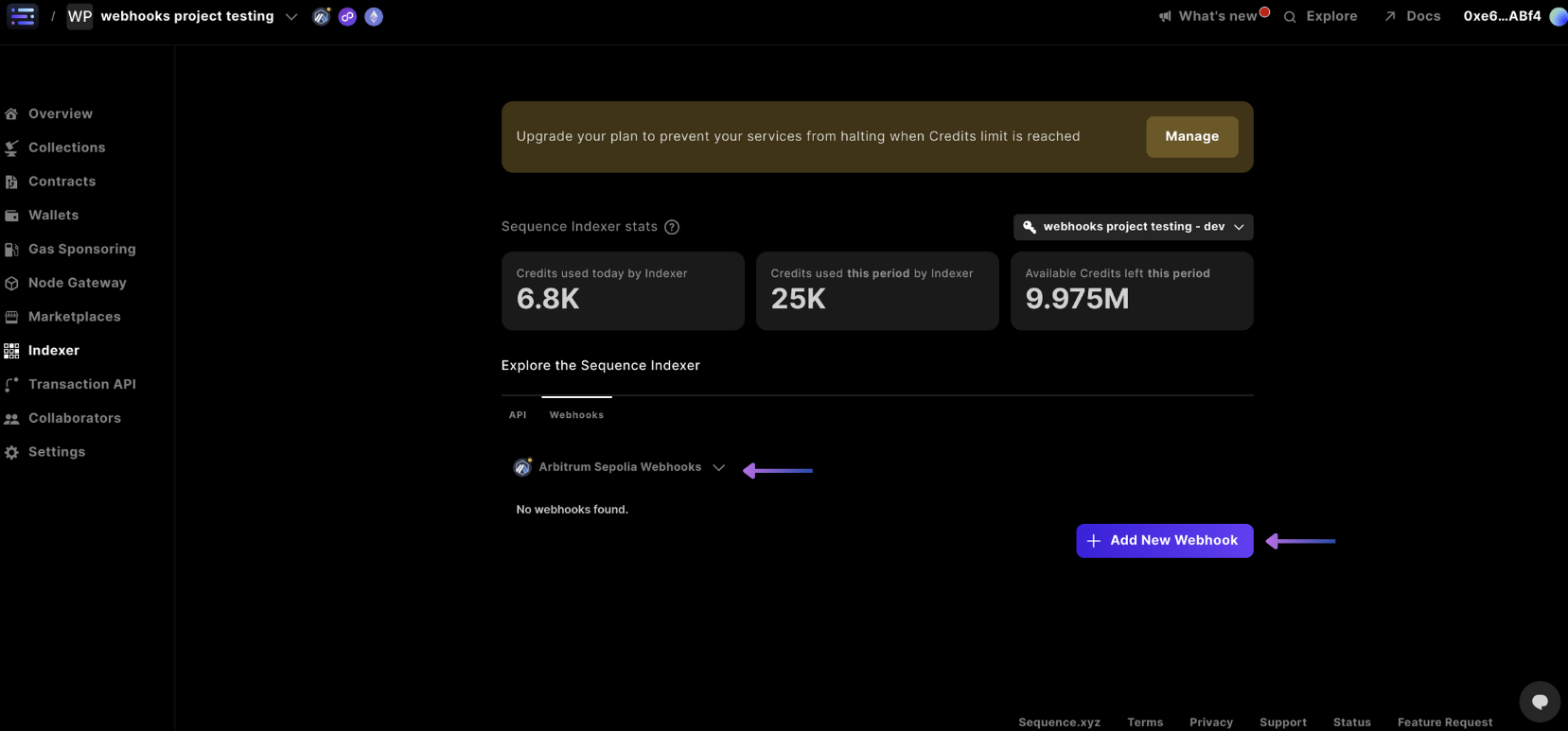
In the dropdown beneath the webhooks tab, select the network you're looking to create a webhook for based on the ones in your project. If you don't see the network you're looking for, you can always add a network, then + Add New Webhook
Complete Webhook Details
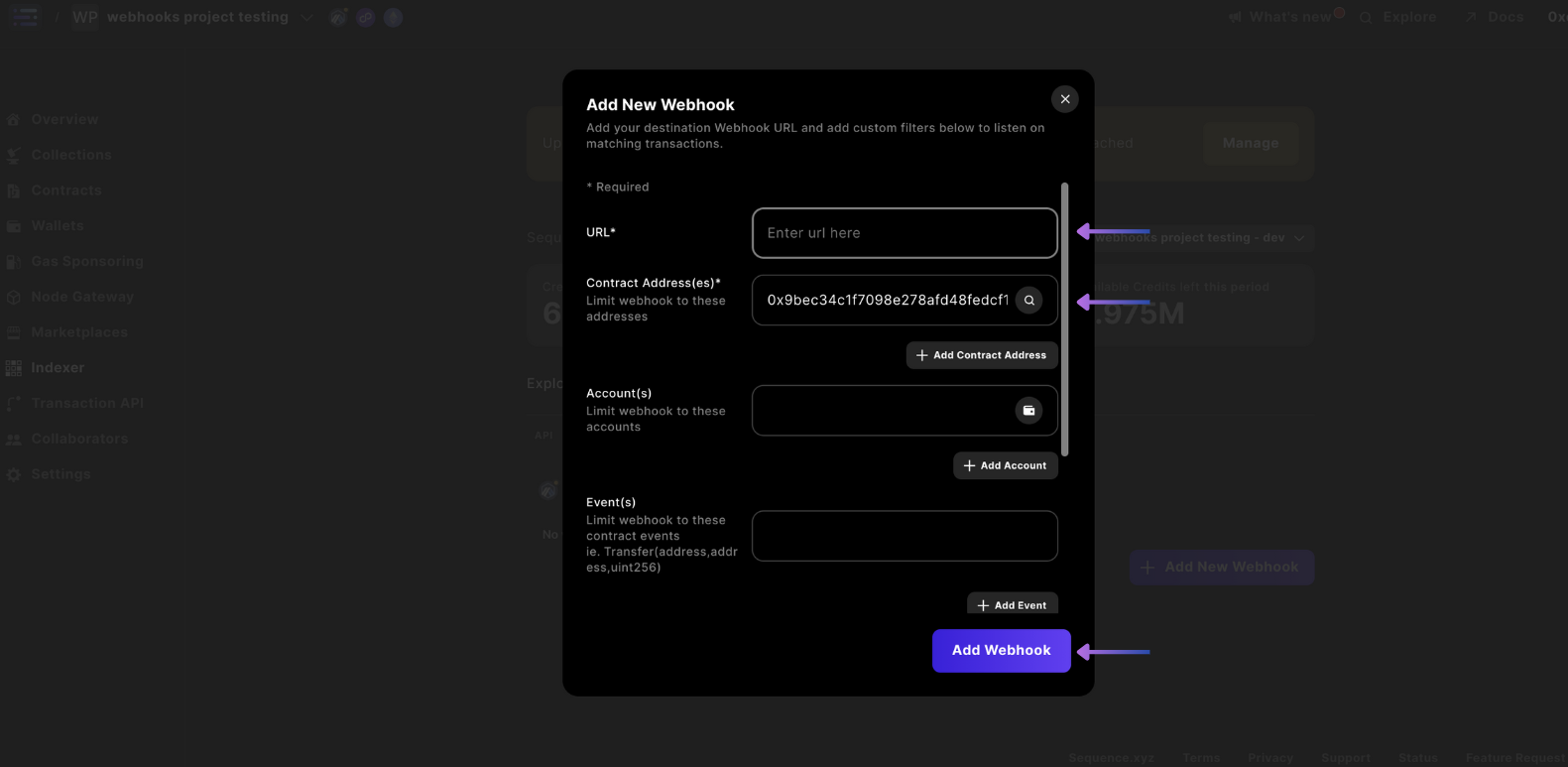
Complete the required details like webhook URL, Contract Address(es), and 'Events'.
For the Events field, we are able to parse any arbitrary contract event, however you must input the event exactly as written in your smart contract. For example, for detecting transfer events you would input: Transfer(address indexed from, address indexed to, uint256 amount) with the indexed keyword. You can find an example of general event types here for common use cases along with Sequence specific ones.
Once your desired fields are input, select Add Webhook.
And you're done!
Removing or Updating Webhooks
The following steps guide you through creating your updating or removing your webhook
- Select Project and go to Webhooks Section
- Select the Gear to Update or Remove your Webhook
- Update or Remove Webhook
Select Project and go to Webhooks Section
Select your project in the top left hand corner, select the Indexer section in the sidebar, and select the Webhooks tab.
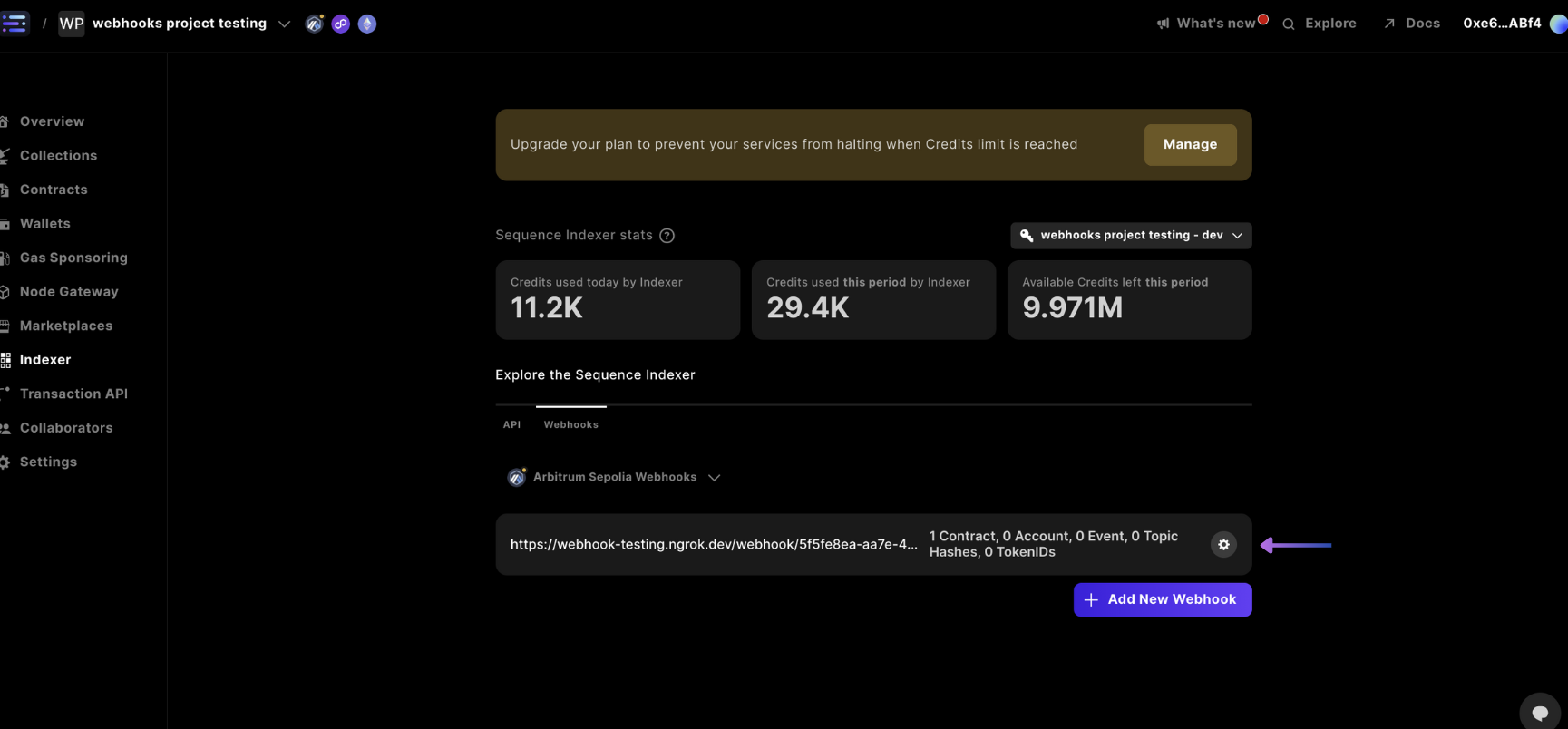
Select the Gear to Update or Remove your Webhook
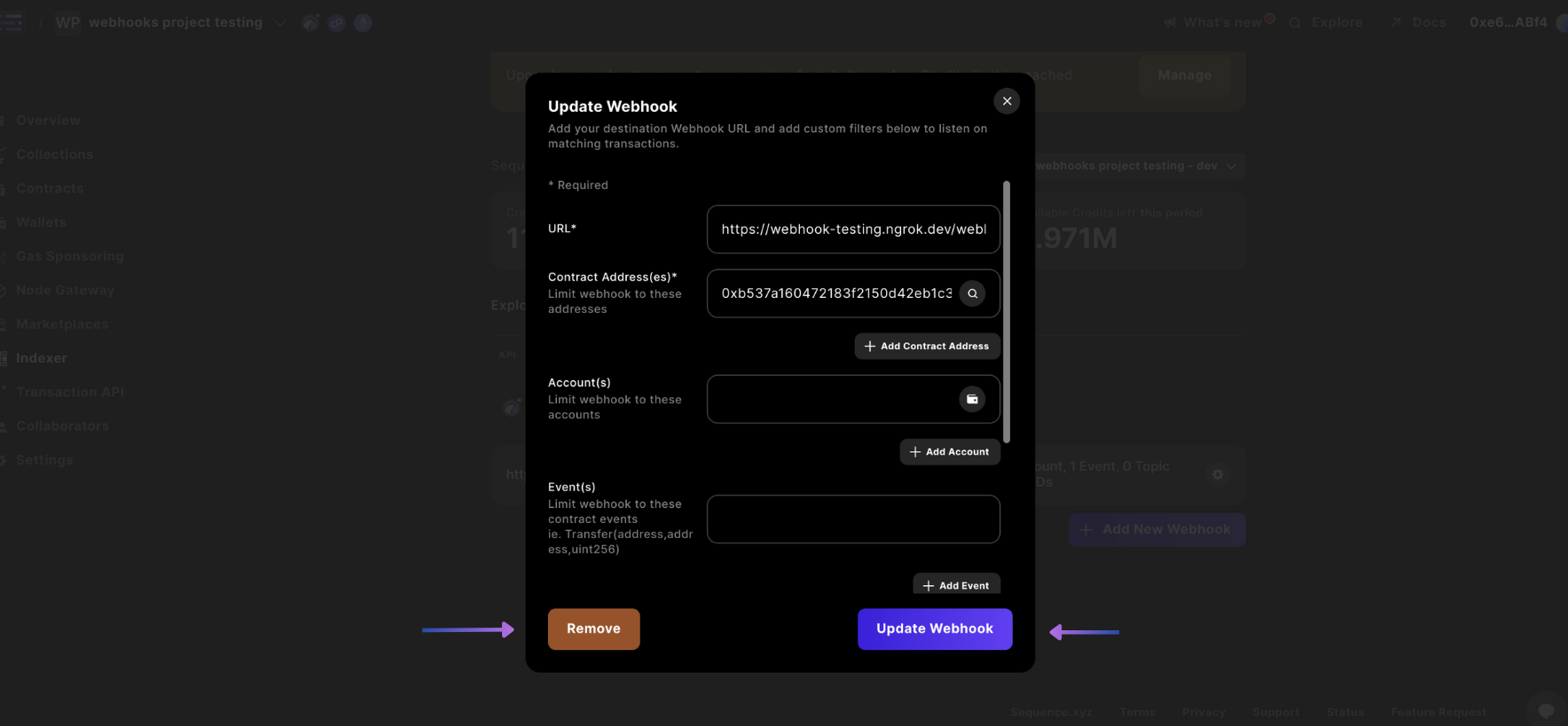
In the webhooks screen, select the gear ⚙ for the webhook you want to remove or update
Update or Remove Webhook
Then you can either Update Webhook or Remove your webhook by selecting either option